
Garment barcode labels
Barcode labels for every style, colour and size
Keep your styles, colours and sizes in one product list, with one barcode for each. Hang tags, size labels and carton labels all read from that list.
7 days free · No credit card
One barcode for each style, colour and size
A clothing range grows by style, colour and size, and each combination needs its own barcode. Cloudlabels keeps the numbers with the products, checks EAN and UPC numbers when you enter them, and tells you when a barcode is already in use.
Barcode labels for a clothing range
Hang tags
Price, size, colour and an EAN-13 or UPC-A for the till.
Size labels
The size and the barcode for that variant, for the bag or the garment.
Shoe box labels
Style, size and barcode on the end of the box.
Carton labels
An ITF-14 or GS1-128 barcode for the outer carton.
Shipping marks
The customer's name, address and logo on each carton.
How it works
Add your range
Type your styles into the built-in sheet, or import an Excel or CSV file. Keep one row for each style, colour and size.
Each row carries its own barcode number.
Collection
Rows from a spreadsheet Product Colour Size Price EAN-13 Keelson Hoodie Navy S 149 2011886946762 Design the hang tag once
Place the product name, colour, size, price and barcode, then choose which column each field reads. One design covers the whole range.
Your brand name stays the same on every tag. The fields change with each row.
Illustration: the fields on one label design and the column each field reads. One label design · Hang Tag · 50 × 90 mm
- TextTIDEWICK · Same on every label
- TextProduct
- TextColour
- TextSize
- TextPrice
- Barcode · EAN-13EAN-13
Print the tags you need
Tick the rows, pick a sheet or label size, then export a print-ready PDF or send the labels to your label printer with Print Station.
Reprint one size when it runs out.
Made in Cloudlabels with the template “Hang Tag 50×90 · EAN-13”, 50 × 90 mm. Not a drawing.

Do you need GS1 barcodes?
When your own numbers are enough, and when you need GTINs from GS1.
Read the guide: GS1 barcodes for your own productsMore labels made the same way
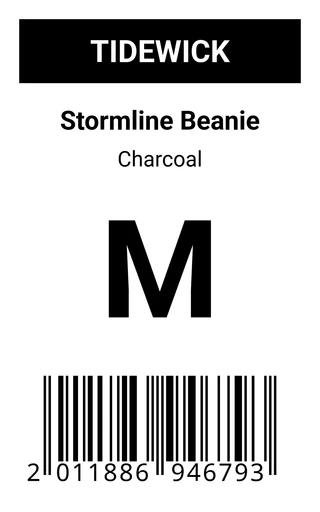
Size Sticker · 50 × 80 mm · EAN-13
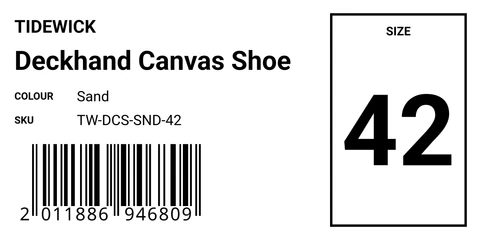
Shoe Box Label · 100 × 50 mm · EAN-13
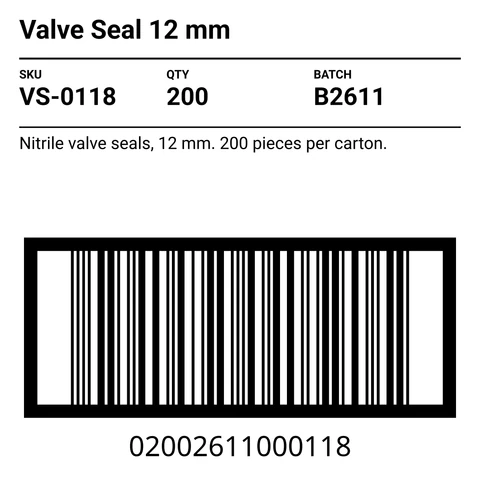
Carton Label · 100 × 100 mm · ITF-14
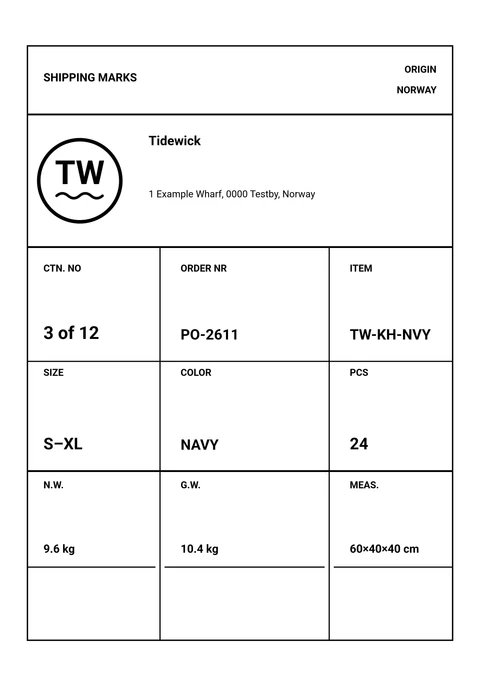
A6 Factory Carton Mark · 105 × 148 mm


A barcode system for your clothing range
- Your own GTINs, or numbers from CloudlabelsBring the GTINs you have from GS1, or let Cloudlabels give each row an EAN-13. Barcodes scanned only in your own shop can carry your own numbers. Selling through retailers or marketplaces takes GTINs from GS1.
- No two products with the same barcodeCloudlabels tells you when a barcode or SKU is already in use on another product, before the label is printed.
- GTIN series from your GS1 prefixPro and Business can allocate GTINs from your GS1 company prefix, in GTIN-13, GTIN-12 or GTIN-8 format, and keep a log of issued numbers.
- Hang tags and cartons from one listHang tags, size labels and carton labels read the same rows. Change a price or add a size once, then print again.
- Label sheets and label printersPrint the PDF on label sheets, or send labels to a label printer on a Windows PC with Print Station.
- Moving from desktop label softwareCloudlabels runs in the browser, so there is nothing to install on each PC. Export your data to Excel or CSV and import it, then rebuild the layout in Design Center. See Cloudlabels compared with BarTender.
“We cannot recommend Cloudlabels highly enough! … We now have a reliable, efficient and easy-to-manage barcode system specifically tailored to our clothing range.”
Frequently asked questions
Still unsure? Contact us
Can each size and colour have its own barcode?
Yes. Keep one row for each style, colour and size, with the barcode number in its own column. Each hang tag reads the barcode from its row.
Can Cloudlabels create the barcode numbers?
Yes, in two ways. Cloudlabels can give each row an EAN-13 for use in your own shop. On Pro and Business it can also allocate GTINs from your own GS1 company prefix and keep a log of issued numbers.
Do I need GS1 barcodes for my clothing?
Barcodes scanned only in your own shop can carry your own numbers. Selling through retailers or marketplaces takes GTINs from GS1. The guide to GS1 barcodes for your own products explains the difference.
What happens if two products get the same barcode?
Cloudlabels tells you when a barcode or SKU is already in use on another product, so you can correct it before printing. EAN and UPC numbers are also checked when you enter them.
Which barcode types are supported?
EAN-13, UPC-A, UPC-E, EAN-8, Code 128, GS1-128, ITF-14 and Code 39 for linear barcodes, and DataMatrix, GS1 DataMatrix and PDF417 for 2D codes. QR codes are a separate element, so one hang tag can carry an EAN-13 for the till and a QR code that links to care or product information. Each sheet has its own barcode standard, and EAN and UPC numbers are checked when you enter them.
Can I print carton labels and shipping marks as well?
Yes. Carton labels can carry an ITF-14 or GS1-128 barcode, and shipping marks can show the customer's name, address and logo. See Shipping labels.
Can I print garment barcode labels on a label printer?
Yes. Choose a sheet size for office printers or a roll size for thermal label printers, then print the PDF or send it to your label printer with Print Station.
We use desktop label software today. Can we bring our labels across?
Your data, yes. Export it to Excel or CSV and import it, then rebuild the layout in Design Center. Most of the work is placing the same fields on the same label size.
Which plan do I need?
The Free plan includes 20 items and 200 labels per month, with a small watermark. Pro gives you up to 25,000 items and unlimited labels, and Business up to 250,000 items and up to 10 team members. Pro and Business both start with a 7-day trial, no credit card.
What happens when the Pro trial ends?
The trial gives you Pro for 7 days with no credit card. When the trial ends, add a payment method to keep using Pro.