
Hang tags
Design clothing hang tags and size labels in the browser
Create hang tags and size labels with your logo, prices and barcodes, then print from Excel or CSV. It is the same workflow as our garment labels.
7 days free · No credit card
One template for every variant
Hang tags change with every price, size and SKU. Build one hang tag and one size label, and every variant fills in from your data.
Hang tags and size labels you can create
Retail hang tags
Price, SKU and an EAN-13 for the till on every tag.
Size labels
One size label per variant, from XS to XXL.
Brand hang tags
Your logo, company name and product line on every piece.
Care labels
Washing, drying and ironing text in the same run as your hang tags.
Composition labels
Print the fibre content of each style from a column, next to its hang tag.
Country of origin labels
Add the “Made in” line for each style from a column in your sheet.
How it works
Start with your collection
Import an Excel or CSV file, or type into the built-in sheet. Keep one row for each style, colour and size.
Each column is something you can put on the tag.
collection.xlsx
Rows from a spreadsheet Product Colour Size Price EAN-13 Keelson Hoodie Navy S 149 2011886946762 Harbor Merino Tee Oat M 69 2011886946779 Keelson Shell Jacket Slate L 249 2011886946786 Design one hang tag
Upload your logo, pick a font and link product, colour, size, price and barcode to your columns.
Your brand name stays the same on every tag. The marked fields change with each row.
TIDEWICKProductCOLOUR
SIZE
ColourSizePriceEAN-13Print every tag in one PDF
Tick the rows you want, pick a sheet or tag size, then export a print-ready PDF for your own printer or a label press.
Reprint a single size when stock runs low, with no minimum order.
Made in Cloudlabels with the template “Hang Tag 50×90 · EAN-13”, 50 × 90 mm each. Not drawings.


Next time, change the list, not the tag
New price or a new size? Update the row and print again. Your design is saved.
Read the full guide: hang tags from a spreadsheetMore labels made the same way
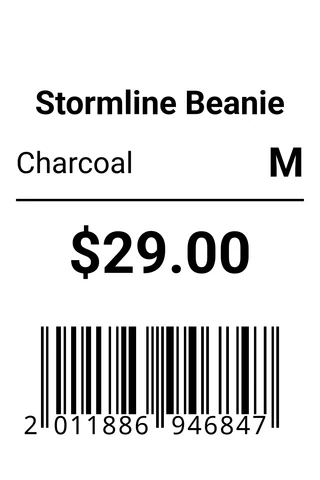
Swing Tag · 40 × 60 mm · EAN-13
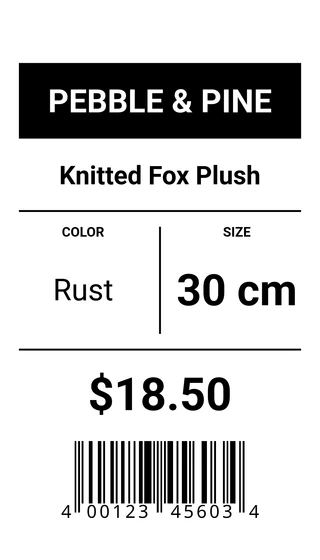
Hang Tag · 2 × 3.5 in · UPC-A
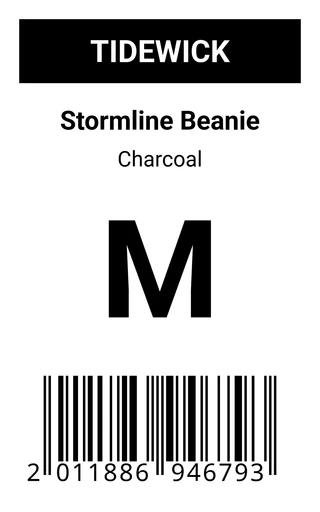
Size Sticker · 50 × 80 mm · EAN-13
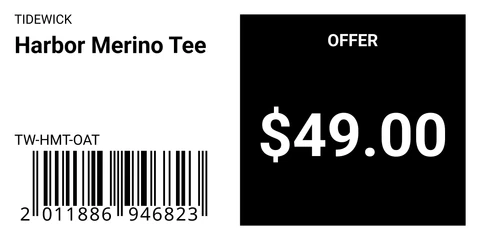
Offer Label · 100 × 50 mm · EAN-13


What the hang tag workflow does
- Tags for the whole collectionImport your catalogue from Excel or CSV and make hang tags and size labels for every variant in one batch.
- EAN-13 and UPC barcodesPut an EAN-13 or UPC-A on each tag, filled from the barcode column for that variant.
- QR codes on the tagAdd a QR code that links to care instructions or product information, next to the price and barcode.
- Fonts and branding41 fonts, your logo, icons and colours, so hang tags match your brand.
- 600 DPI print quality600 DPI print-ready PDFs on Pro and Business, so prices, small text and bars on the tag stay sharp. The Free plan exports at 300 DPI with a small watermark.
Questions
Still unsure? Contact us
Can I design clothing hang tags in the browser?
Yes. Cloudlabels runs in the browser. You design hang tags and size labels, merge your product data and export print-ready files for your printer or label press, without installing desktop design software.
Can I create hang tags as well as sew-in size labels?
Yes. Templates can be sized for hang tags, fold-over labels and other formats used in apparel. Same workflow, different sizes.
Can I import my product catalogue to make hang tags in bulk?
Yes. Import product data from Excel (.xlsx) or CSV files, and make hang tags and size labels from that data.
Which barcode types can I use on hang tags?
EAN-13, UPC-A, UPC-E, EAN-8, Code 128, GS1-128, ITF-14 and Code 39 for linear barcodes, and DataMatrix, GS1 DataMatrix and PDF417 for 2D codes. QR codes are a separate element, so one hang tag can carry an EAN-13 for the till and a QR code that links to care or product information. Each sheet has its own barcode standard, and EAN and UPC numbers are checked when you enter them.
Can I make size labels for every size automatically?
Yes. Add your sizes (XS, S, M, L, XL and so on) as a column, then use a text field bound to that column. Each label shows the right size.
Can I put my logo on the hang tag?
Yes. Add an image element, upload your logo, then place and size it anywhere on the hang tag. The logo is saved in your image library for the next template. An image can also come from a column in your sheet, such as a product photo URL, so each tag shows its own picture.
What sizes can I use for hang tags?
Set up your own size: tag width and height in millimetres, rows, columns, margins and gaps, on A4 or Letter paper. You can also pick a ready-made label sheet. For a roll printer, a print profile can hold one tag per page instead of a full sheet.
Is Cloudlabels suitable for small fashion brands?
The Free plan includes 20 items and 200 labels per month, with a small watermark. Pro gives you up to 25,000 items and unlimited labels, and Business up to 250,000 items and up to 10 team members. Pro and Business both start with a 7-day trial, no credit card.
What happens when the Pro trial ends?
The trial gives you Pro for 7 days with no credit card. When the trial ends, add a payment method to keep using Pro.