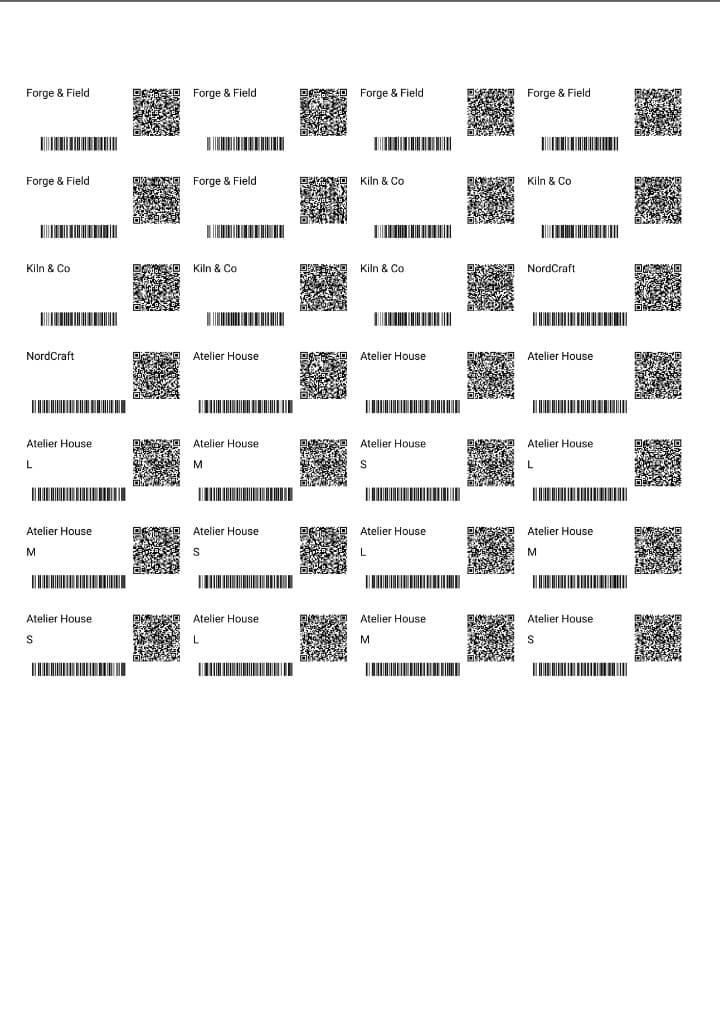
Label Software for Warehouses & Distribution

Replace handwritten bin labels, import from spreadsheets, and batch print barcode labels for shelves, pallets, and inventory—built for busy distribution floors.

Excel & CSV import
8 barcode formats
Free plan available
Cloudlabels label software for warehouses and distribution—bin labels, pallet labels, and inventory barcodes

Labels You Can Create

Standard layouts for storage, movement, and outbound—so every scan matches your floor and systems

📦

Bin & Shelf Labels

Print clear bin and shelf labels with location codes, SKUs, and barcodes so pickers and receivers scan the right slot every time.

🏗️

Pallet Labels

Create pallet labels with SSCC-style barcodes, GS1 data, and handling notes for inbound, staging, and outbound pallets.

📋

Stock Tracking Labels

Generate stock labels tied to lot numbers, quantities, and dates—ideal for cycle counts, quarantine, and inventory audits.

📥

Receiving Labels

Label inbound cartons and totes on receipt with PO references, supplier IDs, and scan-friendly barcodes before putaway.

📍

Location Labels

Design aisle, bay, level, and slot labels with consistent formatting so your warehouse map matches what scanners read on the floor.

🚛

Shipping Marks

Add shipping marks, handling symbols, and carrier-ready text to cartons leaving the dock without a separate design tool.

Why Warehouses Choose Cloudlabels

Spreadsheet-friendly workflows, strong barcodes, and print-ready output for high-volume operations

Excel & CSV Import

Pull rows from spreadsheets or exports from your WMS/ERP and merge them into label layouts—no retyping SKU or location data.

8 Barcode Formats (CODE-128, GS1, etc.)

Use CODE-128, Code 39, EAN/UPC, Data Matrix, GS1 DataMatrix, and more so labels work with standard warehouse scanners.

Batch Processing

Generate hundreds or thousands of labels in one run from your data—ideal for new locations, seasonal ramps, and recounts.

Avery & HERMA Templates

Print on common laser and inkjet sheets with pre-built Avery and HERMA layouts so operators can reload trays without guesswork.

Cloud-Based (No Installs)

Open a browser on any PC—no IT rollout or per-station licenses. Updates and templates stay centralized for every site.

Up to 1200 DPI Export

Export crisp PDFs for thermal and laser printers so small barcodes and dense text stay readable on the warehouse floor.

Perfect for Every Warehouse Operation

🏢

Distribution Centers

High-throughput hubs and cross-dock sites

📦

3PL Providers

Multi-client inventory and dedicated operations

🚚

Fulfillment Centers

E-commerce picks, packs, and ship workflows

🏭

In-House Warehouses

Private stockrooms and manufacturing stores

14-Day Free Trial • No Credit Card Required

Start Labeling Your Warehouse Today

Move from handwritten tags to consistent, scannable labels—import once, print everywhere your team works.

Warehouse Labels — FAQ

Yes. Design a bin or shelf template once, connect fields to your spreadsheet or CSV, and print consistent labels with barcodes and human-readable text—no marker smudges or mismatched handwriting.
Upload your file and map columns to text and barcode fields on your label. Each row becomes a label, so you can print full location grids, SKU sets, or receiving batches in one job.
Cloudlabels supports eight symbologies including CODE-128, Code 39, EAN-13, UPC-A, EAN-8, UPC-E, Data Matrix, and GS1 DataMatrix. CODE-128 and 2D options are common for dense SKU and logistics data.
You can build pallet labels with GS1-friendly 2D barcodes and structured data fields. Pair layouts with your import data so each pallet gets a unique, scannable identifier.
Yes. Choose from built-in Avery and HERMA templates so operators load standard sheets into laser or inkjet printers. You can also define custom sizes for thermal rolls if your hardware allows.
No. Cloudlabels runs in the browser. As long as users can sign in and print, they can use the same templates and data sources without pushing desktop installers.
Yes. The Free plan lets you try the designer, imports, and printing workflow before scaling. Upgrade when you need higher item limits and team features.