
Create HERMA Label Templates With Data Already Mapped
Cloudlabels helps teams print HERMA-compatible labels without juggling spreadsheets, design files, and manual barcode generation in separate tools.
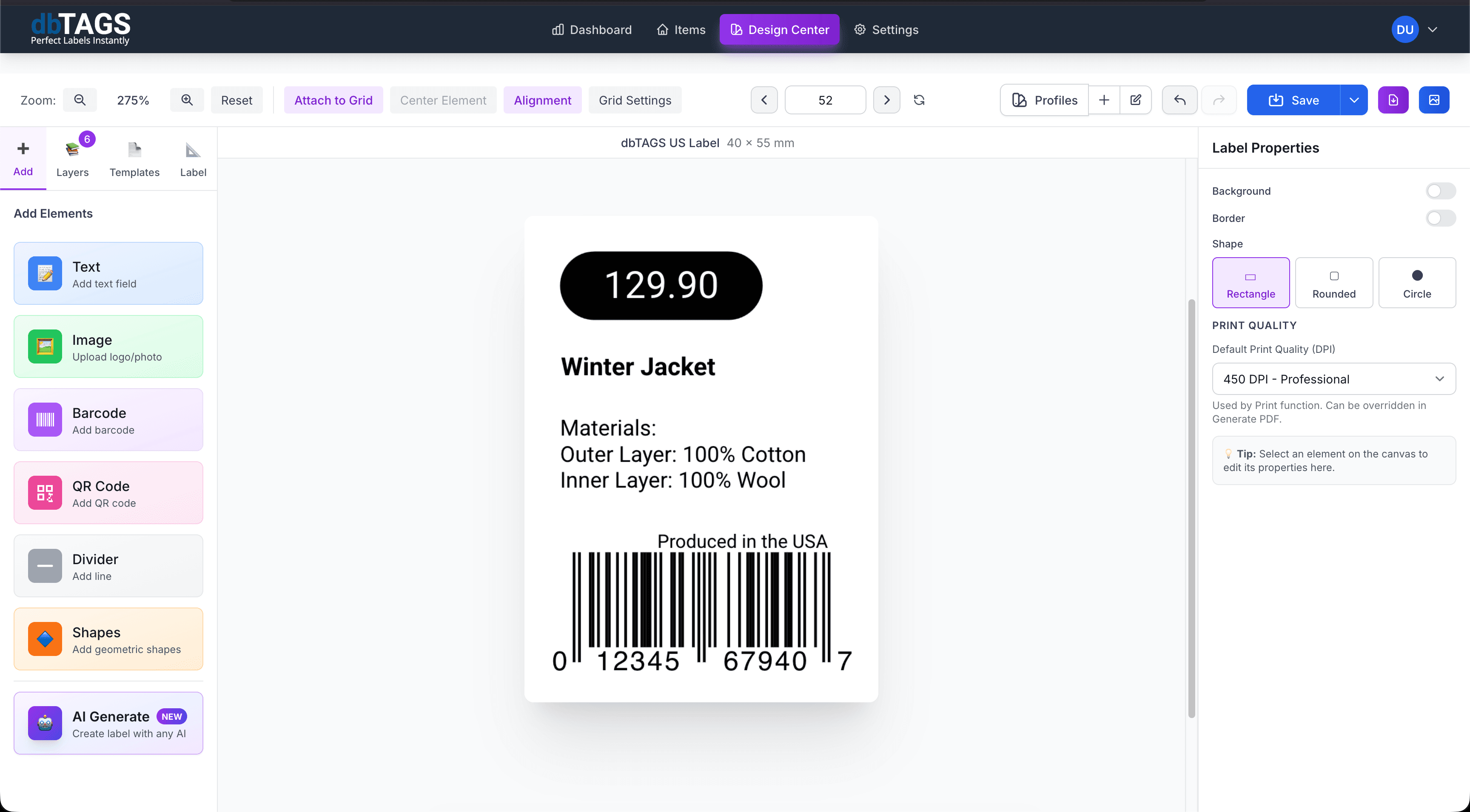
Useful when HERMA labels are part of daily operations
Warehouse labels
Print consistent location, pallet, or stock labels on standardized HERMA sheets for repeat jobs.
Product and retail runs
Generate labels for batches of products without reformatting each barcode or text field manually.
Cross-team printing
Keep template logic in the cloud so operations, marketing, and fulfillment teams work from the same version.
Cloudlabels for HERMA sheet workflows
The goal is not only to design labels, but to make repeated printing dependable when product data keeps changing.
Consistent label dimensions
Design on the correct HERMA layout so exported PDFs stay aligned with the physical sheet.
Dynamic fields
Pull names, item numbers, and barcode values from imported data instead of typing each label by hand.
Visual design center
Place logos, text, QR codes, and barcode fields with drag-and-drop precision.
Reusable label sets
Store your design and print profile so repeat jobs stay consistent across printers and teams.
High-resolution export
Generate PDFs optimized for clear text and reliable barcode scanning.
One workflow for many jobs
Use the same system for product labels, shelf labels, warehouse labels, and internal tracking labels.
A typical HERMA label workflow
Build the label once, connect it to your data, and keep the workflow ready for the next print run.
Choose the HERMA template
Start with the right sheet dimensions so the rest of the workflow stays predictable.
Build one flexible layout
Design the label once and connect each field to the data you want to print.
Run print batches
Export clean PDFs for daily, weekly, or seasonal label jobs without rebuilding the template.
HERMA template questions
Answers for teams evaluating Cloudlabels for this workflow.
Related workflows
Explore the adjacent use cases people usually compare before starting a label system.
Ready to put this labeling workflow on one system?
Start a free trial and build the layout once, then reuse it for every new print batch.
No credit card required • Cancel anytime