
Print Labels From Excel Without Rebuilding Every Sheet
Import your Excel file, map the fields once, and generate labels for every row. Cloudlabels turns spreadsheet data into repeatable print jobs instead of manual formatting work.
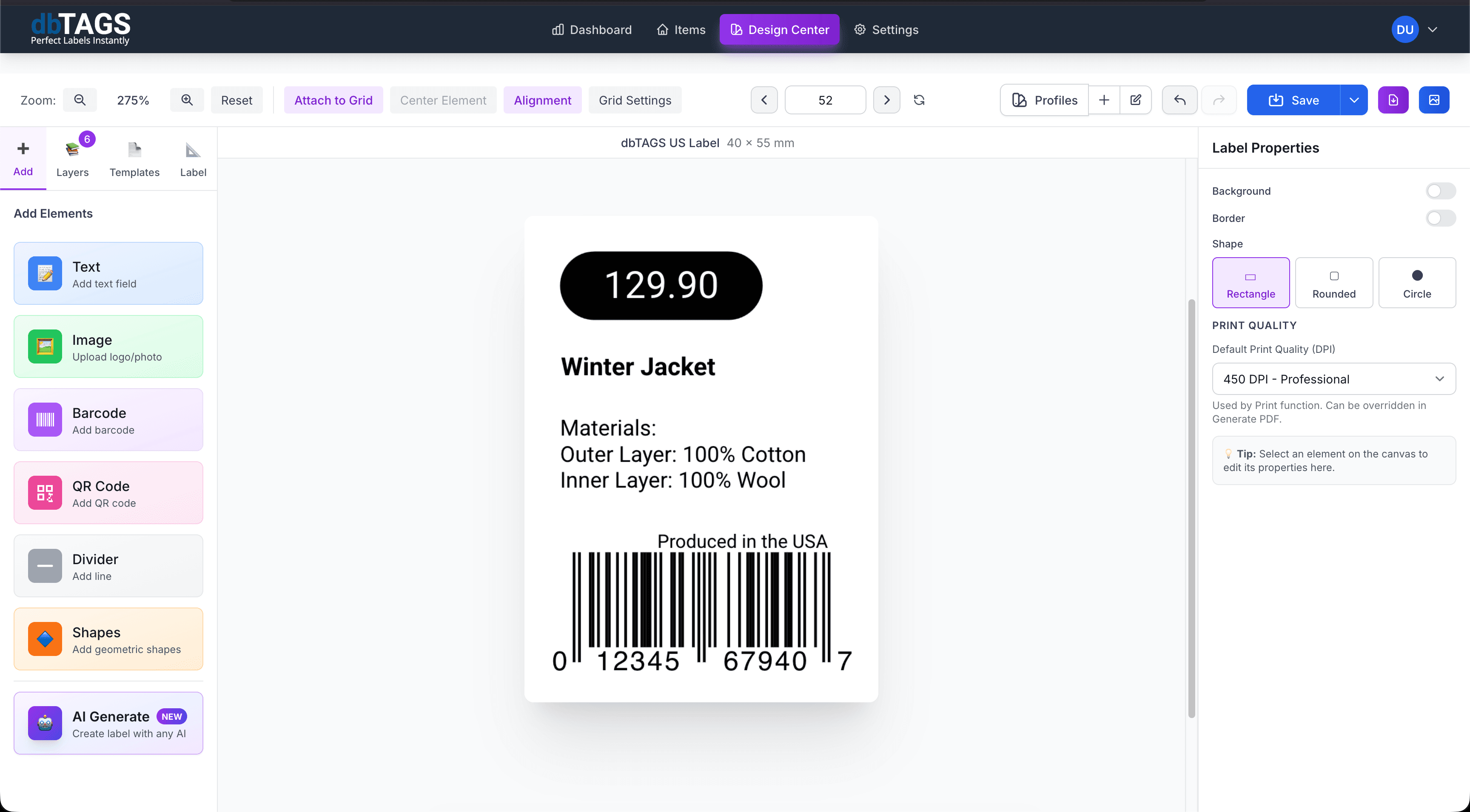
Useful anywhere labels start in a spreadsheet
Operations teams
Turn item lists, stock reports, or warehouse exports into clean labels without restructuring the spreadsheet each time.
Product and retail teams
Generate barcode labels, price labels, or shelf labels from Excel product tables.
Internal tracking workflows
Print asset labels, room labels, or storage labels from inventory sheets already maintained in Excel.
Why Cloudlabels fits Excel-driven printing
The workflow is designed to remove repetitive spreadsheet cleanup between data export and print output.
Excel import support
Upload .xlsx files directly and review imported rows before printing.
Field mapping
Connect each label element to the right column for names, SKUs, quantities, prices, or codes.
Barcode generation
Create EAN, UPC, CODE-128, or DataMatrix labels from values already stored in the sheet.
Reusable templates
Keep the label design and print future Excel files through the same layout.
Template and custom sizes
Print on standard sheet templates or custom dimensions depending on your stock.
Cloud collaboration
Share the same label workflow with other team members without emailing files around.
How Excel label printing works
Build the label once, connect it to your data, and keep the workflow ready for the next print run.
Import the workbook
Upload the Excel file and check the imported rows inside Cloudlabels.
Map spreadsheet columns to label elements
Link your text and barcode fields once so the layout stays reusable.
Export a print batch
Generate a PDF for the whole set and print on sheet labels or custom label stock.
Excel label printing questions
Answers for teams evaluating Cloudlabels for this workflow.
Related workflows
Explore the adjacent use cases people usually compare before starting a label system.
Ready to put this labeling workflow on one system?
Start a free trial and build the layout once, then reuse it for every new print batch.
No credit card required • Cancel anytime