
Generate EAN-13 Barcode Labels For Retail Product Workflows
Cloudlabels helps teams create EAN-13 barcode labels from imported product data, then print them in clean batches for packaging, shelving, and retail operations.
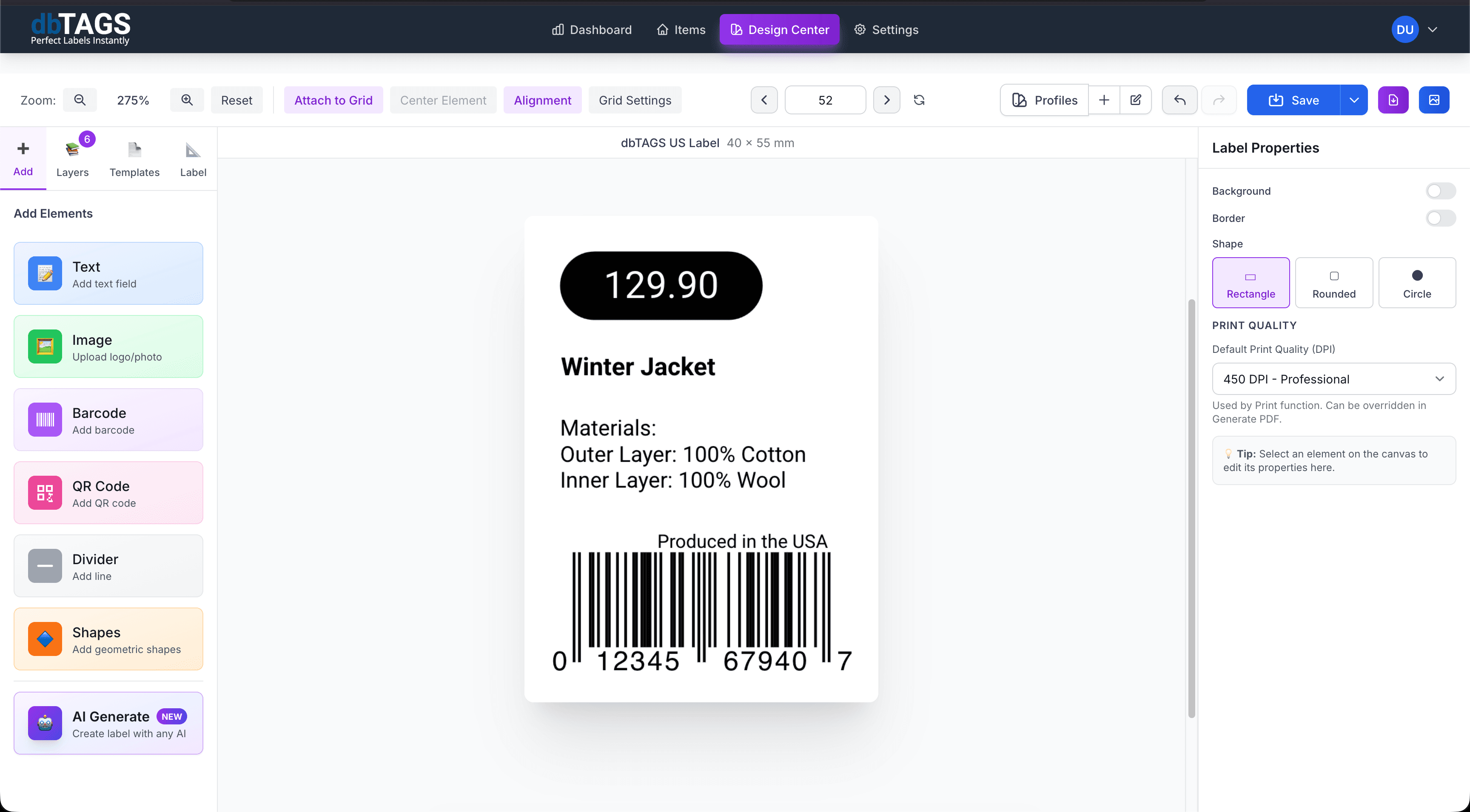
Best for product labeling workflows using retail barcode standards
Retail product labels
Generate barcodes, names, and product details in one layout for shelf-ready or packaging labels.
Catalog and assortment updates
Reuse a saved design whenever new items need EAN-13 labels.
Spreadsheet-based product teams
Import product tables from Excel, CSV, or Shopify and build the print batch from that data source.
Cloudlabels for EAN-13 label creation
The workflow keeps product data, label design, and print output in one place so retail label updates stay manageable.
EAN-13 barcode generation
Create EAN-13 barcode labels directly inside the layout without using a separate barcode tool.
Product field mapping
Use imported names, product references, prices, or packaging text in the same template.
Template printing
Export to standard sheet labels or custom product label sizes.
Reusable designs
Keep one label format for a product family or retail workflow and reuse it later.
Cloud-based editing
Work from any browser when product teams or operations need to update labels.
High-resolution PDF output
Generate print files intended for readable text and reliable barcode scanning.
A common EAN-13 label workflow
Build the label once, connect it to your data, and keep the workflow ready for the next print run.
Import product data
Bring in the products that need EAN-13 labels and review the values before printing.
Apply the retail label design
Map the EAN field, product name, and any other visible details into the layout.
Export the print batch
Generate a PDF for shelf labels, packaging labels, or product identification runs.
EAN-13 questions
Answers for teams evaluating Cloudlabels for this workflow.
Related workflows
Explore the adjacent use cases people usually compare before starting a label system.
Ready to put this labeling workflow on one system?
Start a free trial and build the layout once, then reuse it for every new print batch.
No credit card required • Cancel anytime