
Print Avery Label Templates Without Desktop Setup
Choose your Avery sheet, import your item data, and export aligned labels in a few clicks. Cloudlabels keeps template selection, data merge, and PDF output in one workflow.
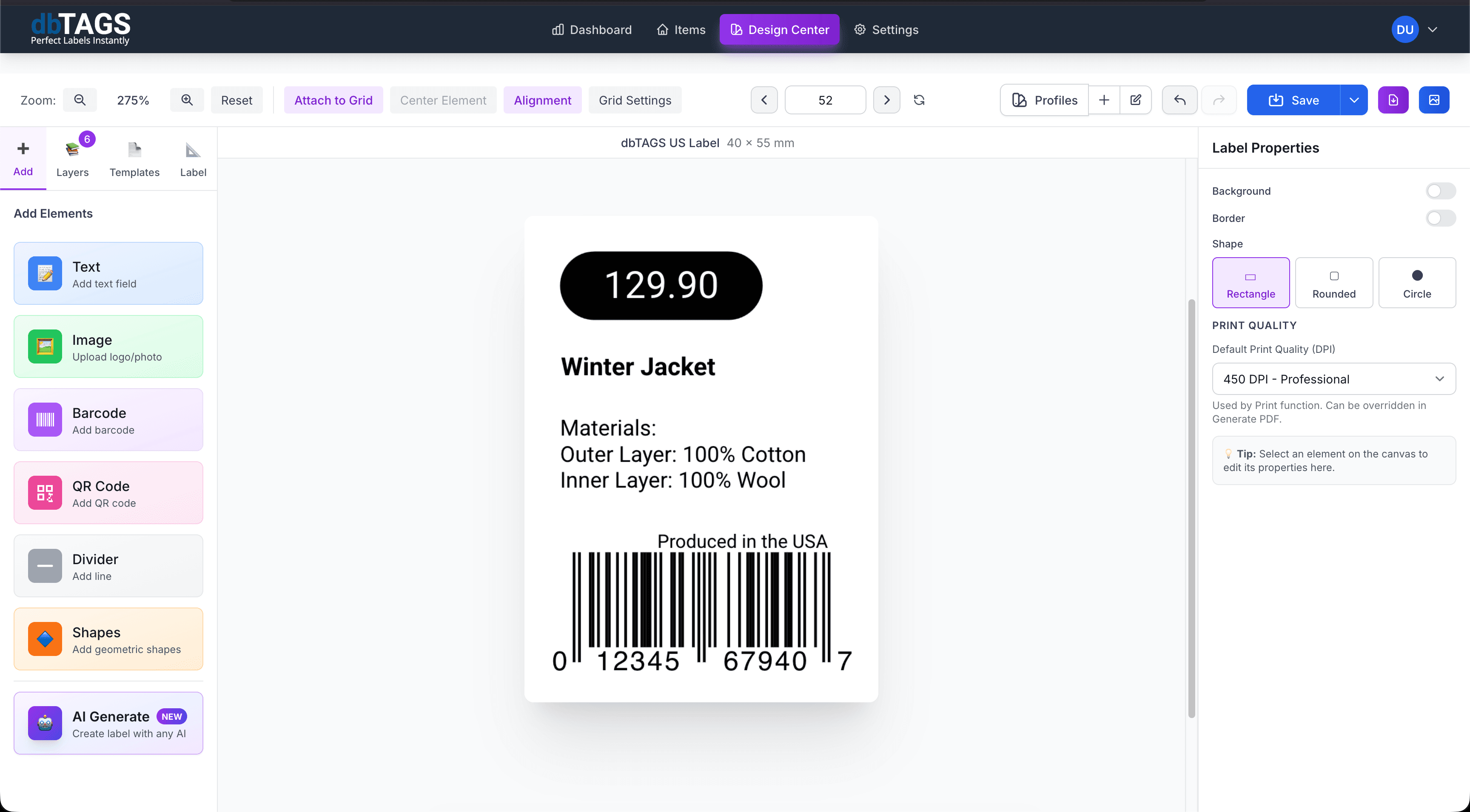
Best for teams that need repeatable Avery printing
Product labeling
Generate product labels from a spreadsheet and keep every row mapped to the right label fields.
Office and inventory sheets
Create asset labels, shelf labels, or storage labels on common Avery sheet sizes without manual copy-paste.
Fast reprints
Save the label design once, then reuse it whenever stock, pricing, or shipping information changes.
Built for Avery-style template printing
Cloudlabels removes the usual template friction: misalignment, data formatting issues, and last-minute PDF fixes.
Template-first setup
Select the Avery sheet before designing so spacing and label dimensions stay consistent.
Spreadsheet-driven labels
Merge names, SKUs, barcodes, and QR codes from Excel, CSV, or your in-app item table.
Scannable barcode output
Place EAN, UPC, CODE-128, and DataMatrix labels directly into Avery layouts.
Reusable designs
Keep one design per template and update the data underneath instead of rebuilding every sheet.
Position control
Start printing from any label position on the sheet to avoid wasting partially used stock.
Cloud workflow
Work from any browser and let your team edit or print the same template setup.
How teams use Cloudlabels for Avery templates
Build the label once, connect it to your data, and keep the workflow ready for the next print run.
Select the Avery sheet
Pick the right label format first so the canvas and export settings match your stock.
Map your label fields
Import data and connect each label element to item names, SKUs, prices, or barcode values.
Export and print
Generate a print-ready PDF and print full or partial sheets without alignment guesswork.
Avery template questions
Answers for teams evaluating Cloudlabels for this workflow.
Related workflows
Explore the adjacent use cases people usually compare before starting a label system.
Ready to put this labeling workflow on one system?
Start a free trial and build the layout once, then reuse it for every new print batch.
No credit card required • Cancel anytime